


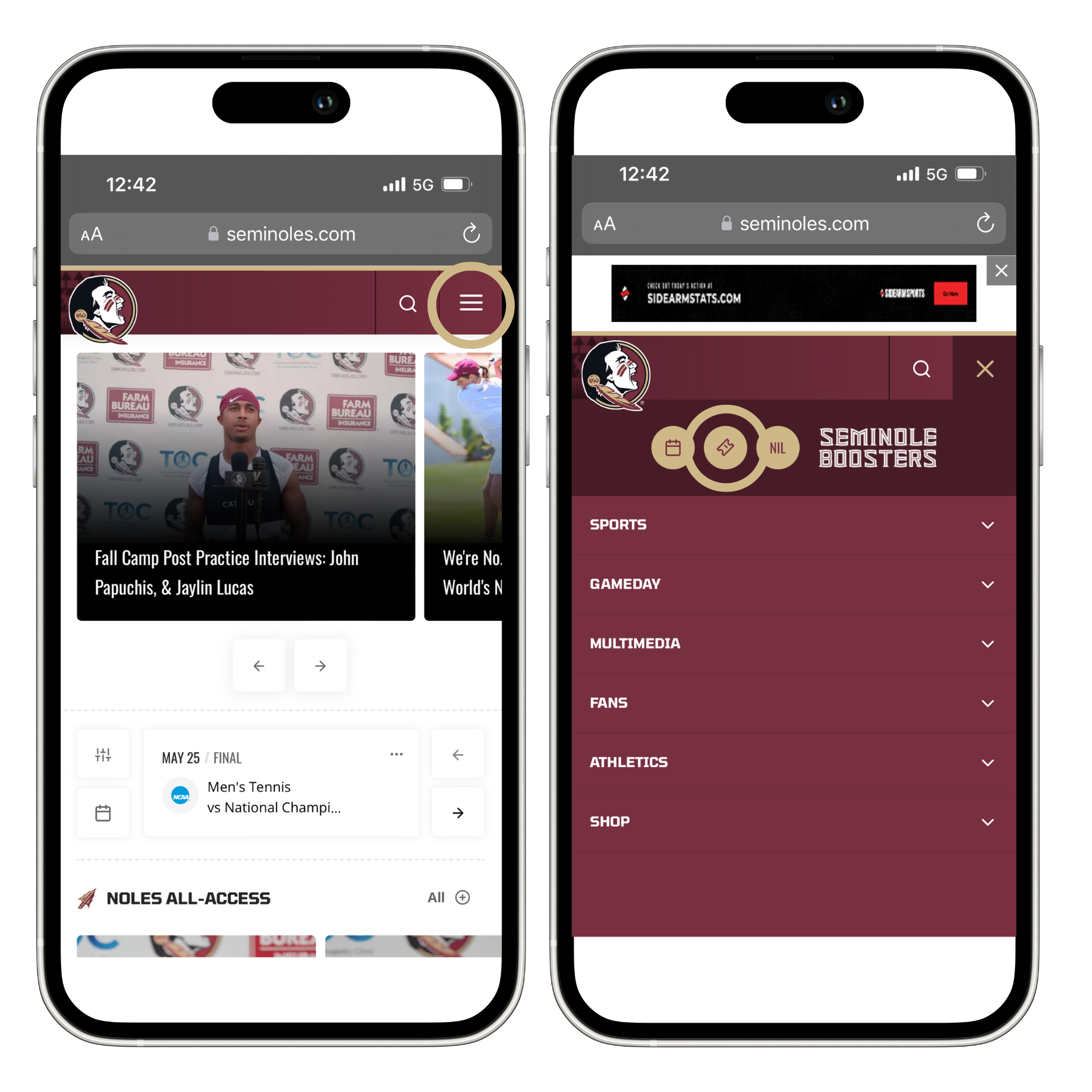
Visit Seminoles.com, click the drop-down menu, and then click on the ticket icon in the top right corner.
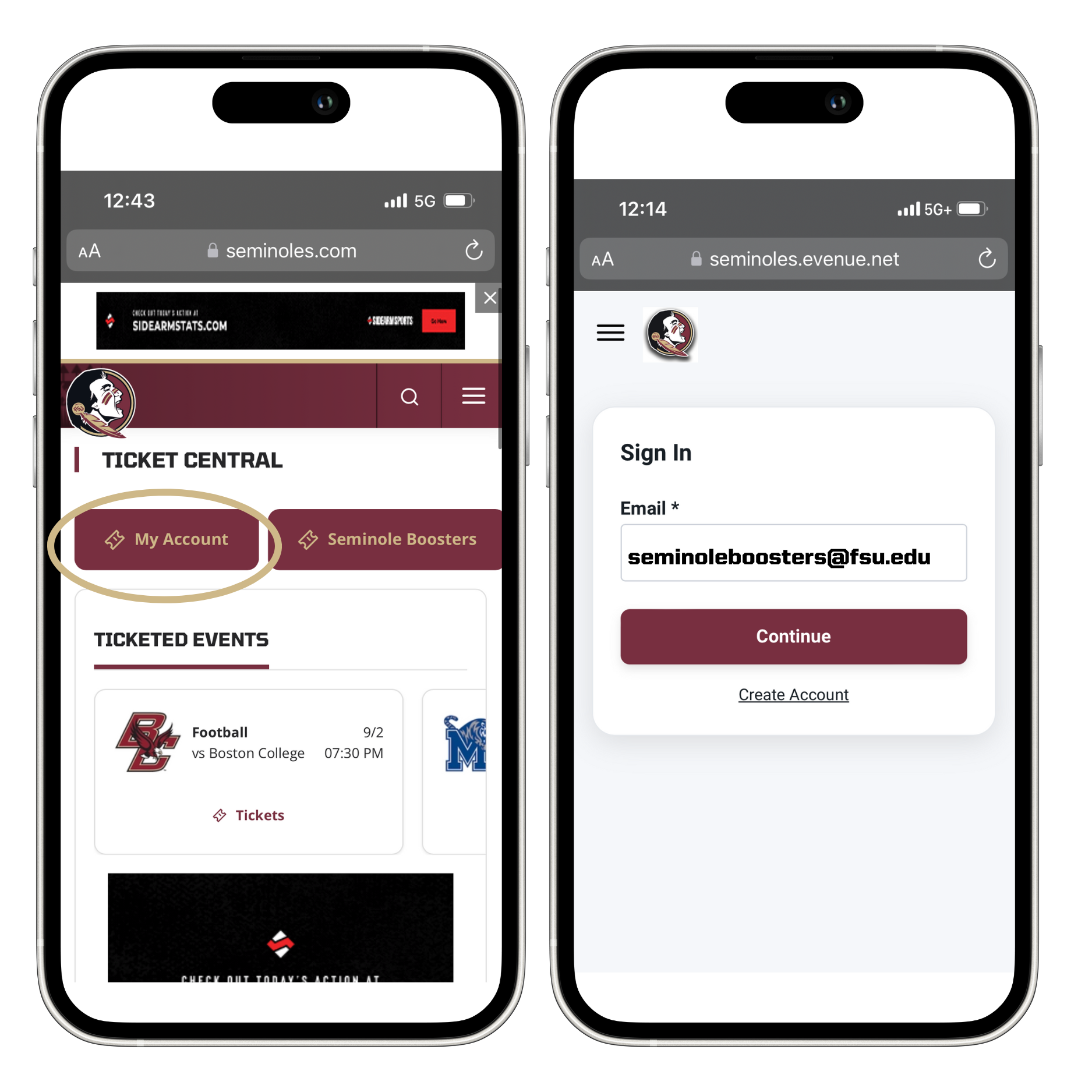
That will take you to FSU Ticket Central. Click "My Account" and then sign in to your Seminoles.com account using your email address and password or one-time code.
TIP: You can also access your Seminoles.com account through the FSU Game Day app. Search your mobile app store to download the app today!

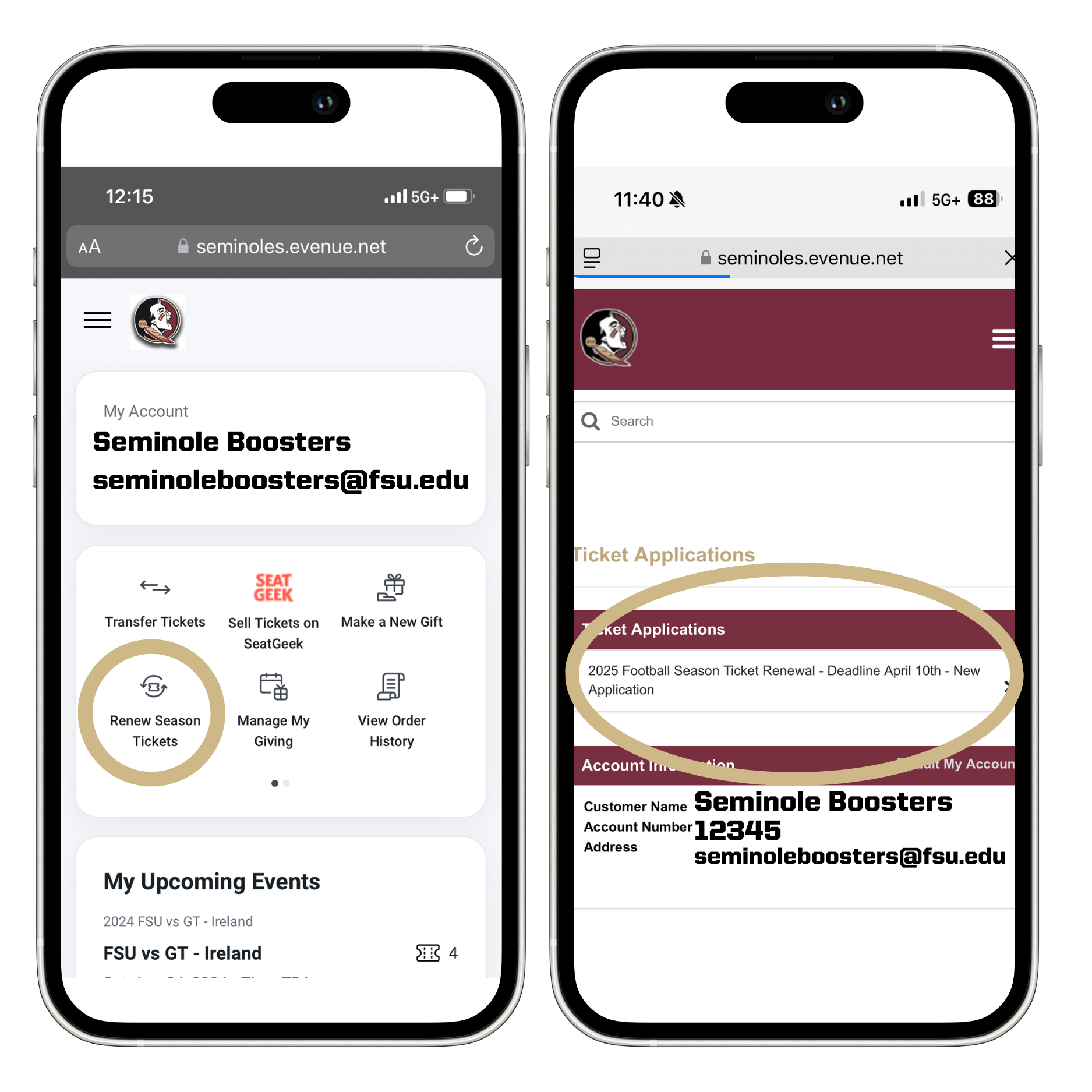
Once you've successfully logged in, you'll be directed to your Seminoles.com "My Account" page. Here, you'll see the option to access your account information, ticket applications, and more. You'll want to click on "Renew Season Tickets." Then, click on your 2025 Football Season Ticket Renewal application to get started.

After clicking the "2025 Football Season Ticket Renewal" application, you will receive a pop-up message regarding auto-renewal. After reviewing the message, click the "X" in the corner to close it out and move on to the application.
After you have closed out of the pop-up window, you will see your season ticket and annual Booster membership renewal quantities and amounts.
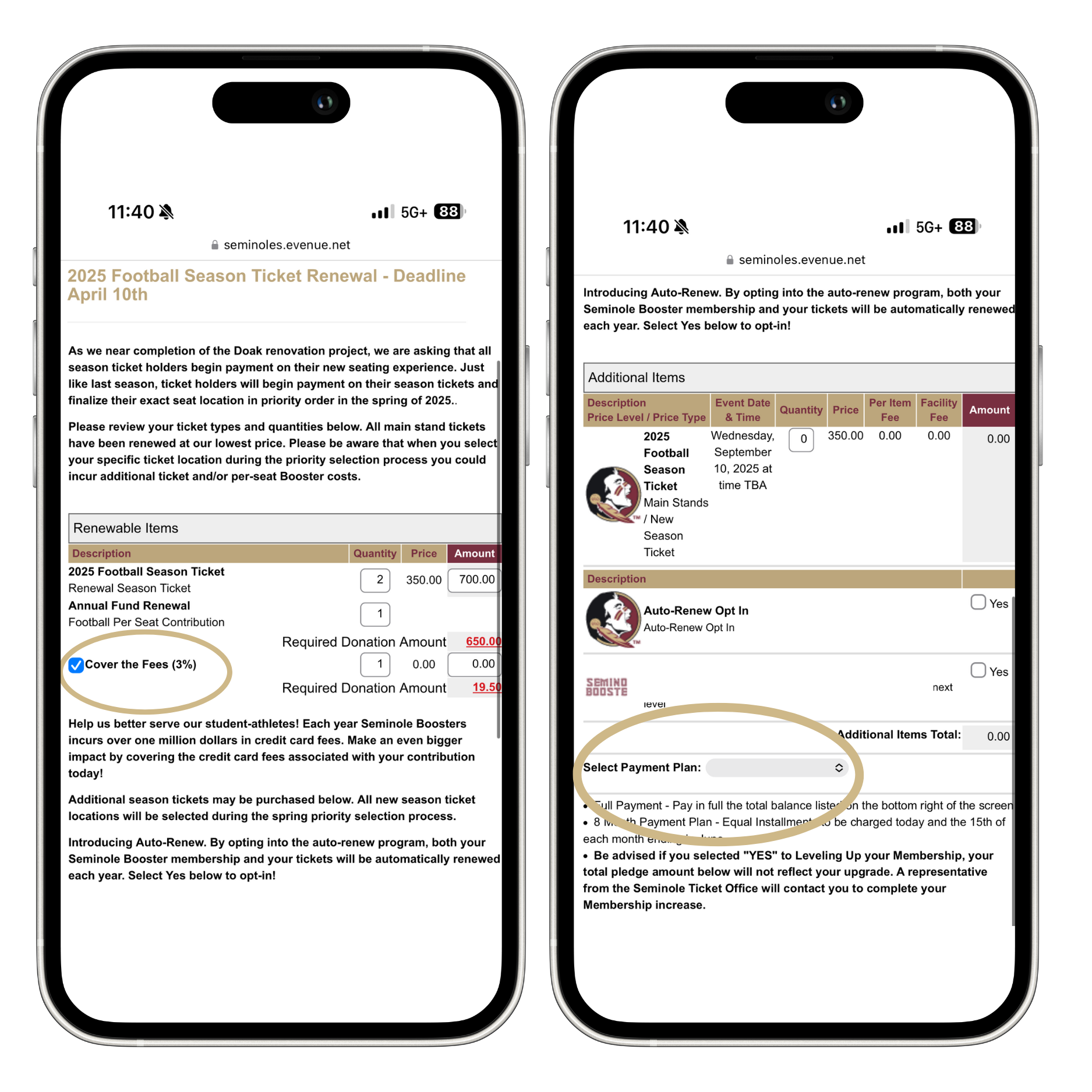
You will also need to make a few different decisions before completing payment: covering the 3% credit card fee, adding any additional season tickets, opting in for auto-renewal, and selecting your ticket payment plan (either pay in full or over 8 months).
After you have selected your payment plan, you will click "Add to Cart," which will bring up the page below. You will then select your payment plan for your Booster membership and the 3% processing fees (if you have opted to cover those).
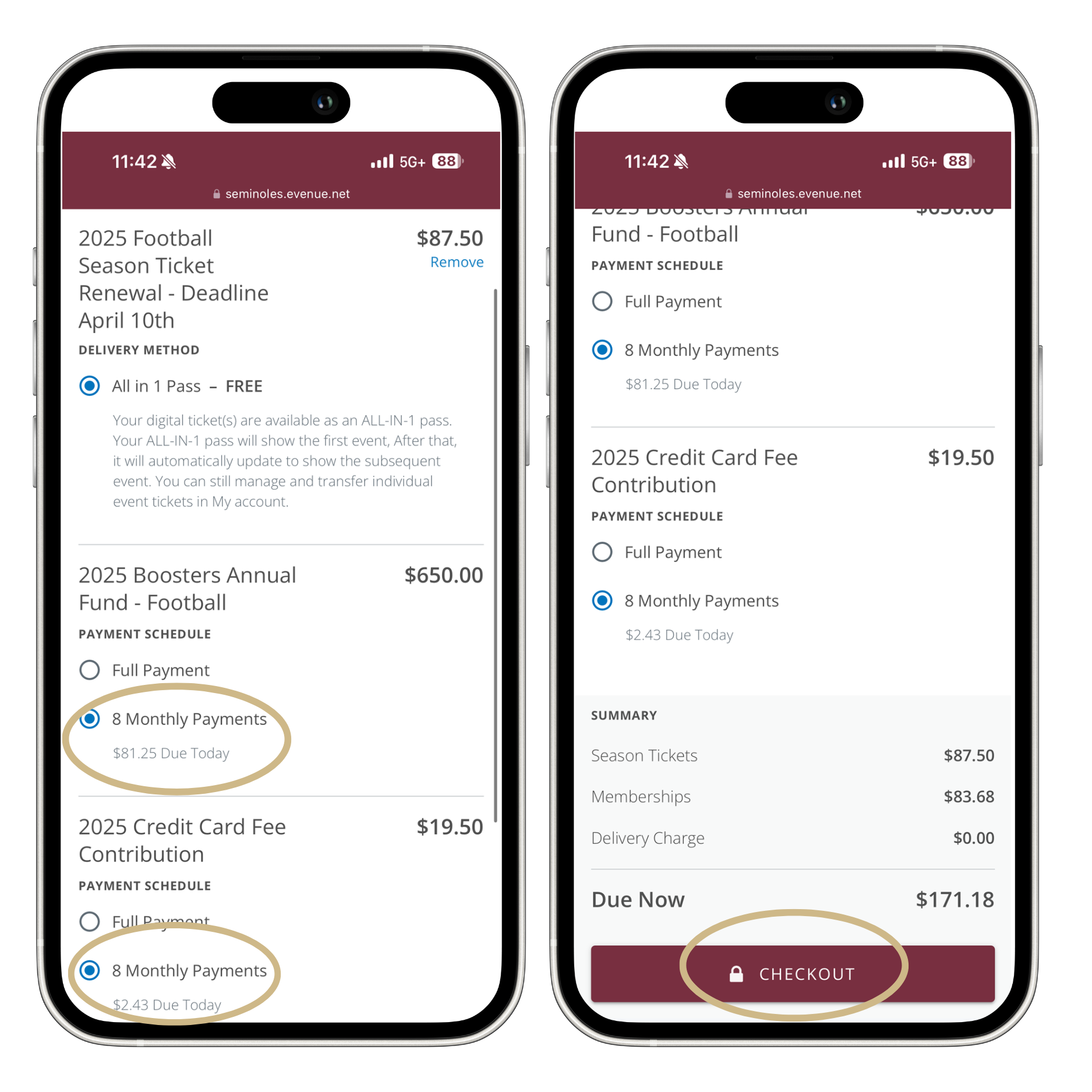
Once you have selected "Checkout," you will provide your payment information.
Once you submit your payment information, select "Place Your Order." Your renewal is complete, and you should receive a confirmation email.

If you need any additional assistance downloading your mobile tickets, please contact the FSU Athletics Ticket Office using the contact information below:

Thank you for your support of Florida State Athletics. We look forward to seeing you soon.
Go Noles!
