

There are 2 ways to access your game day tickets and parking passes:
1) Through your Seminoles.com account
2) Through the FSU Gameday app
Accessing Your Tickets/Parking Passes Through Your Seminoles.com Account
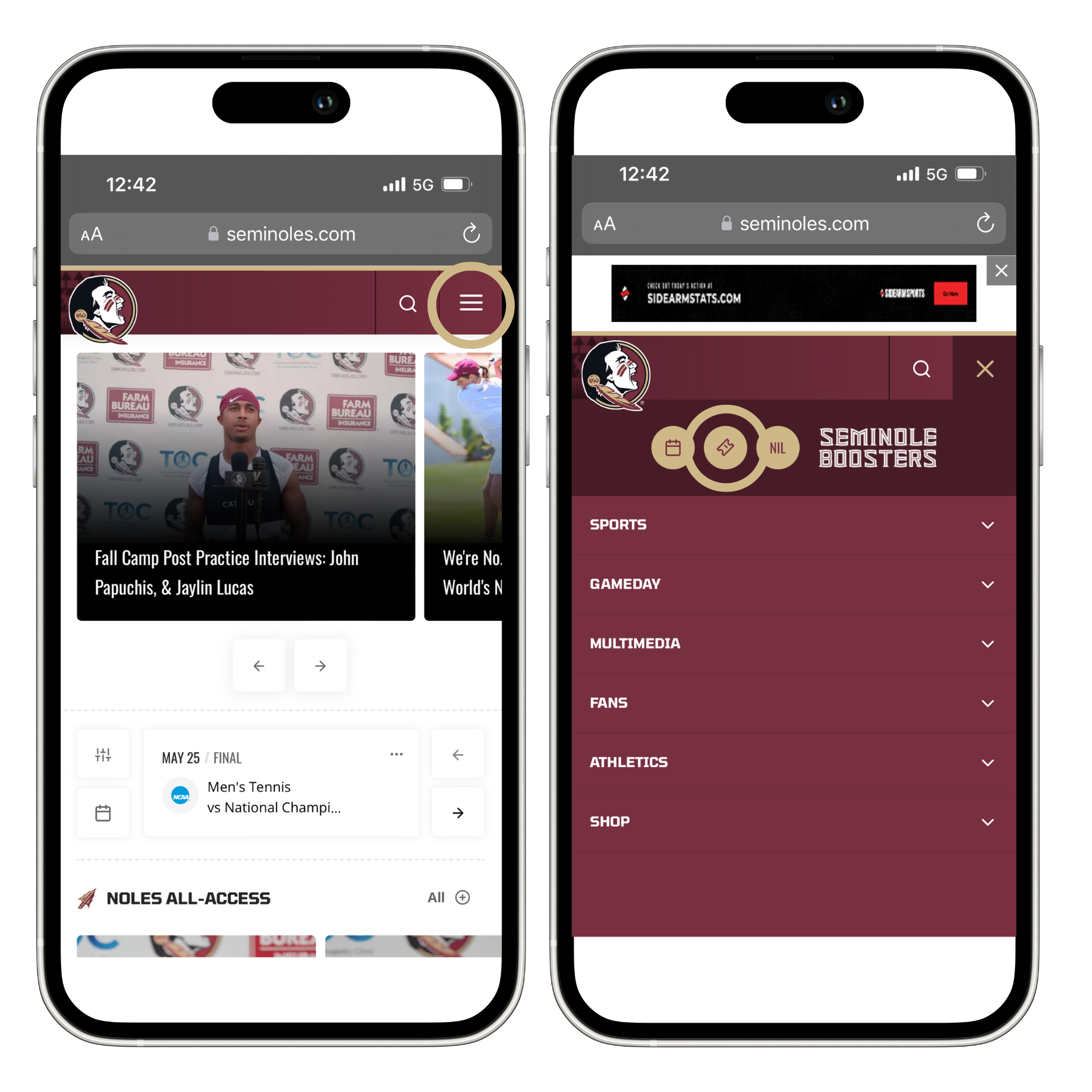
Step 1: Visit Seminoles.com & navigate to the tickets page as seen below
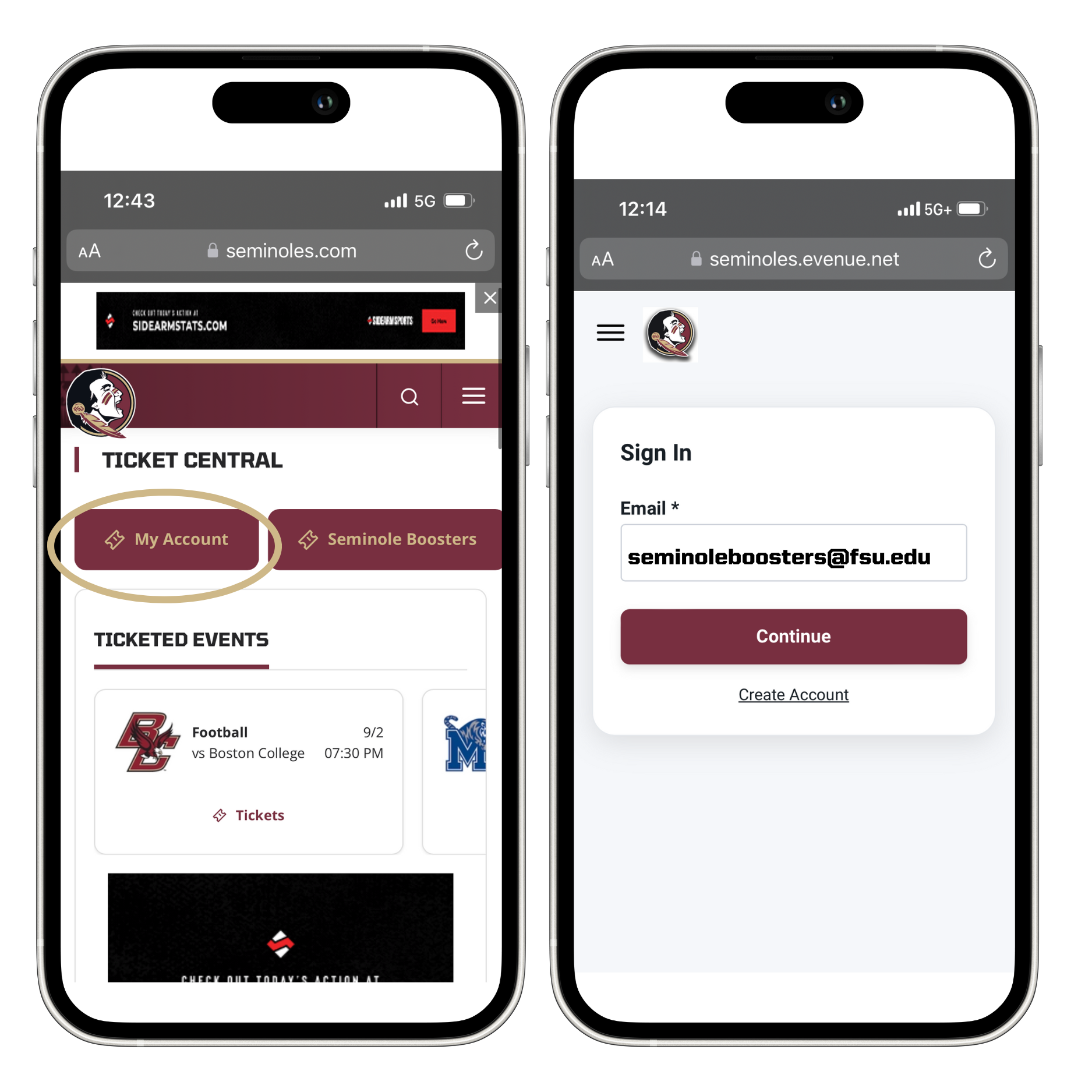
Step 2: Click "My Account" and then sign in to your Seminoles.com account using your email address and password or one-time code.
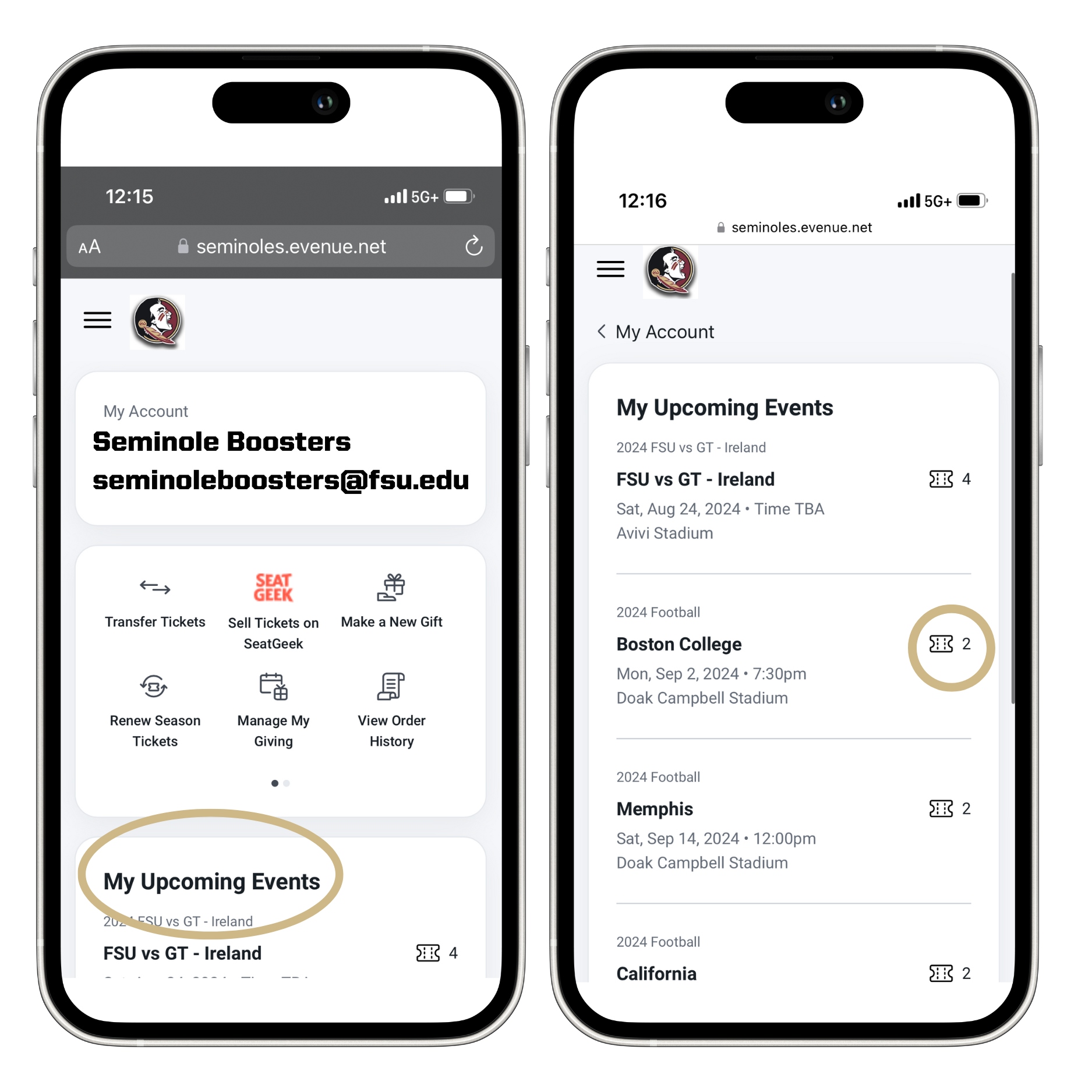
Step 3: Click on the ticket icon under my upcoming events to download your tickets to your mobile wallet.
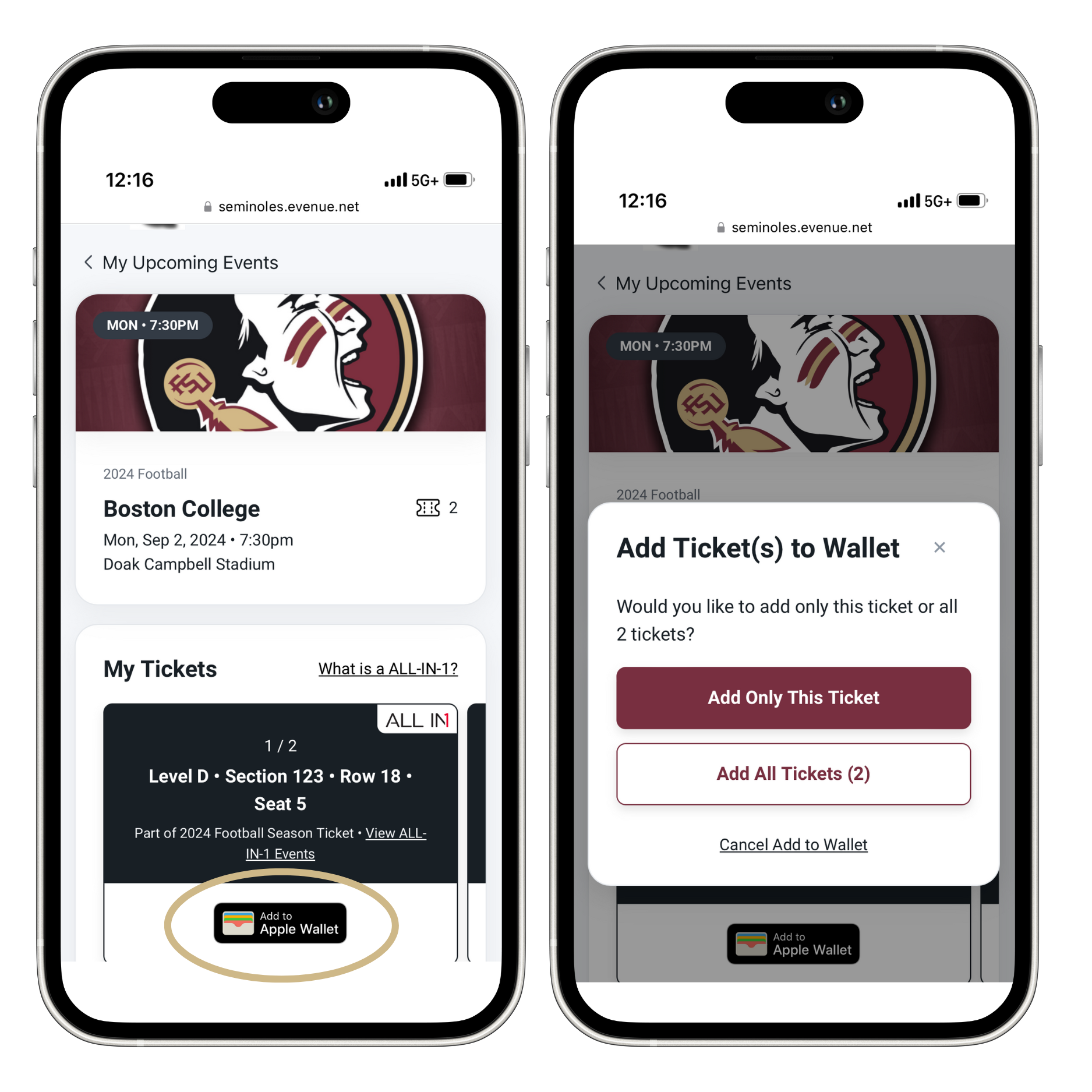
Step 4: Download the tickets to your mobile wallet; ensure your tickets are downloaded to your mobile wallet before arrival as screenshots will NOT grant entry on game day.
Accessing Your Tickets/Parking Passes Through the FSU Gameday App
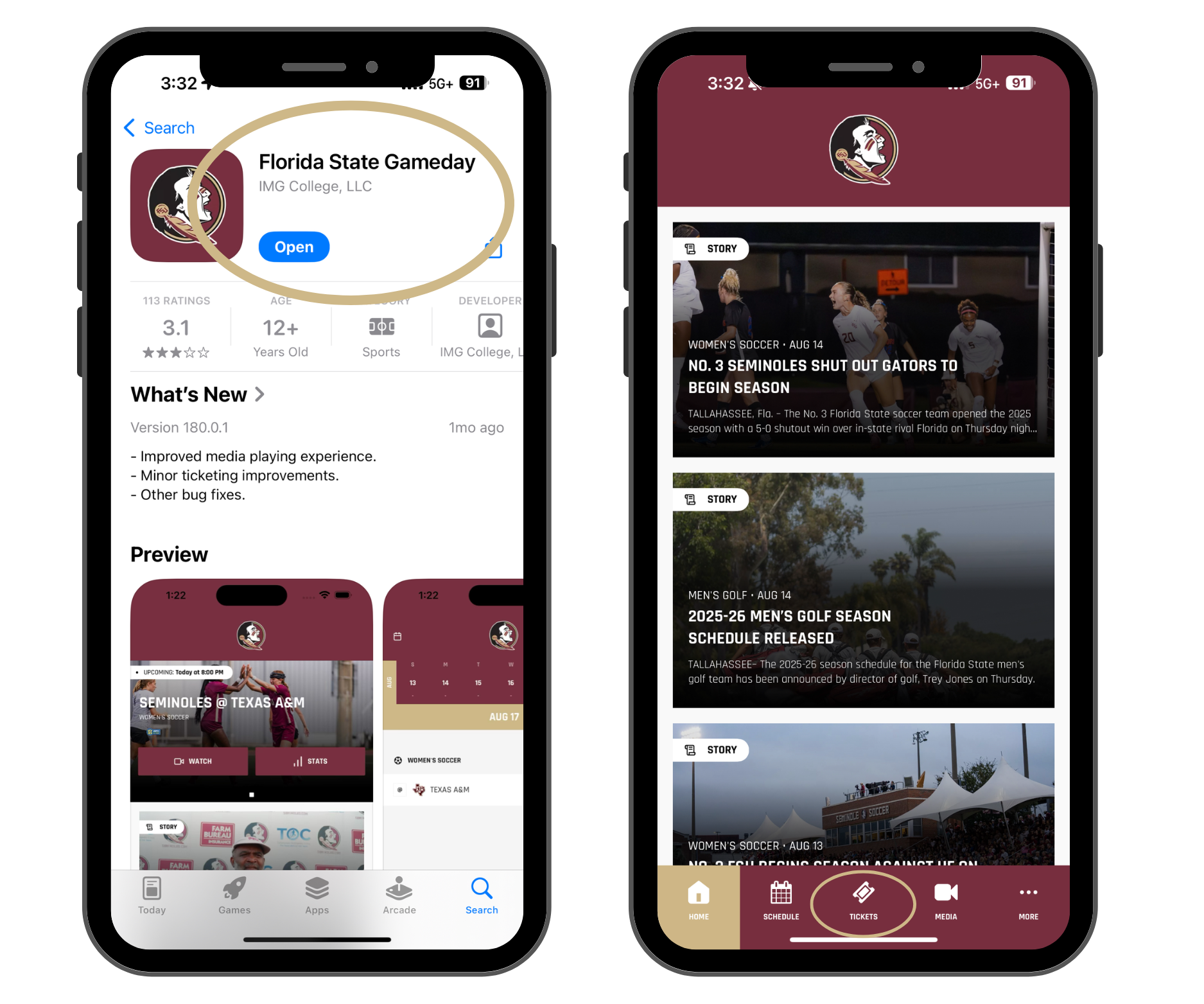
Step 1: Download the FSU Gameday app through the app store on your device, and click "tickets" at the bottom.
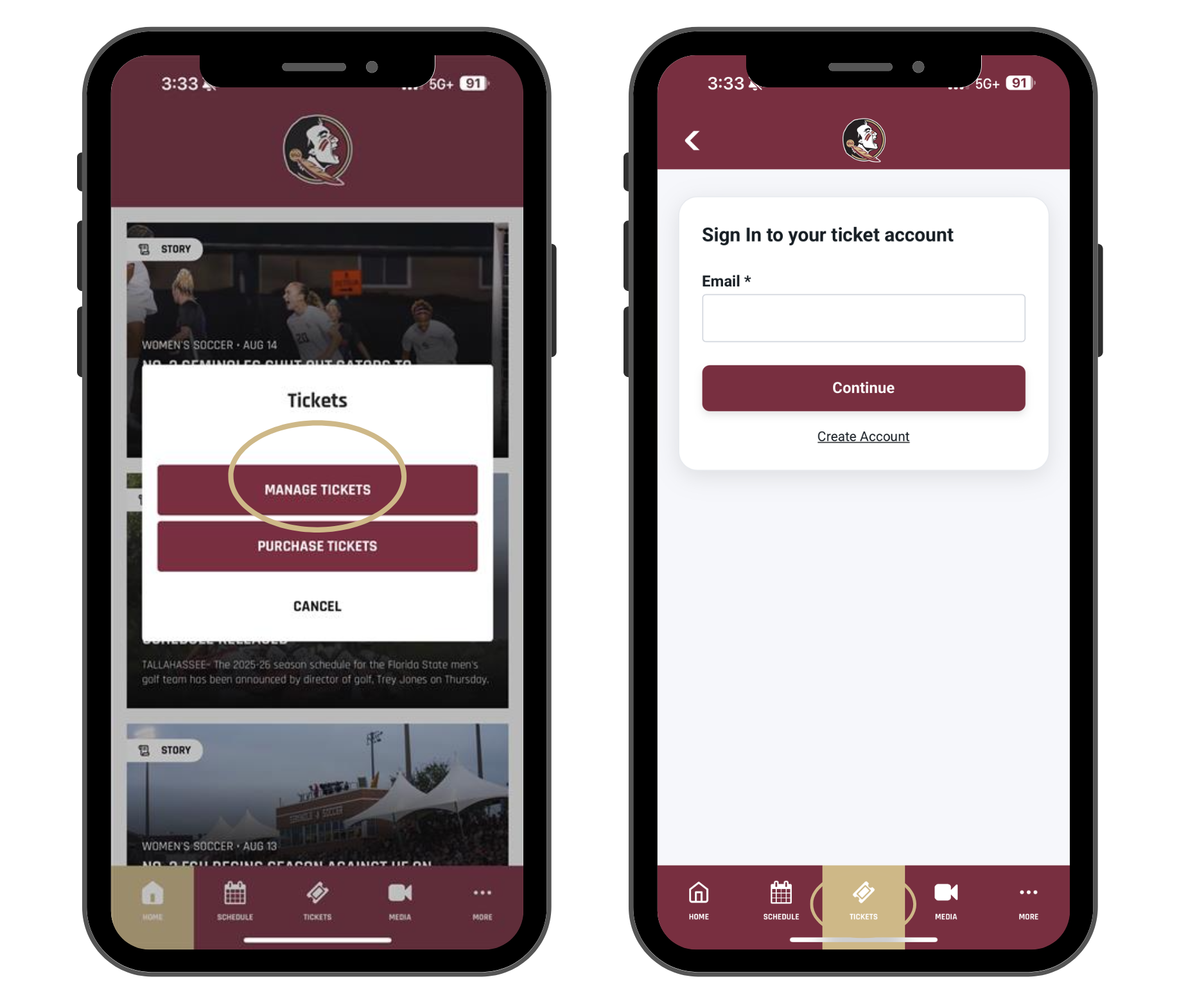
Step 2: Click "Manage Tickets" and sign in to your Seminoles.com account.
Step 3: Access your tickets by clicking the ticket icon underneath "My Upcoming Events."
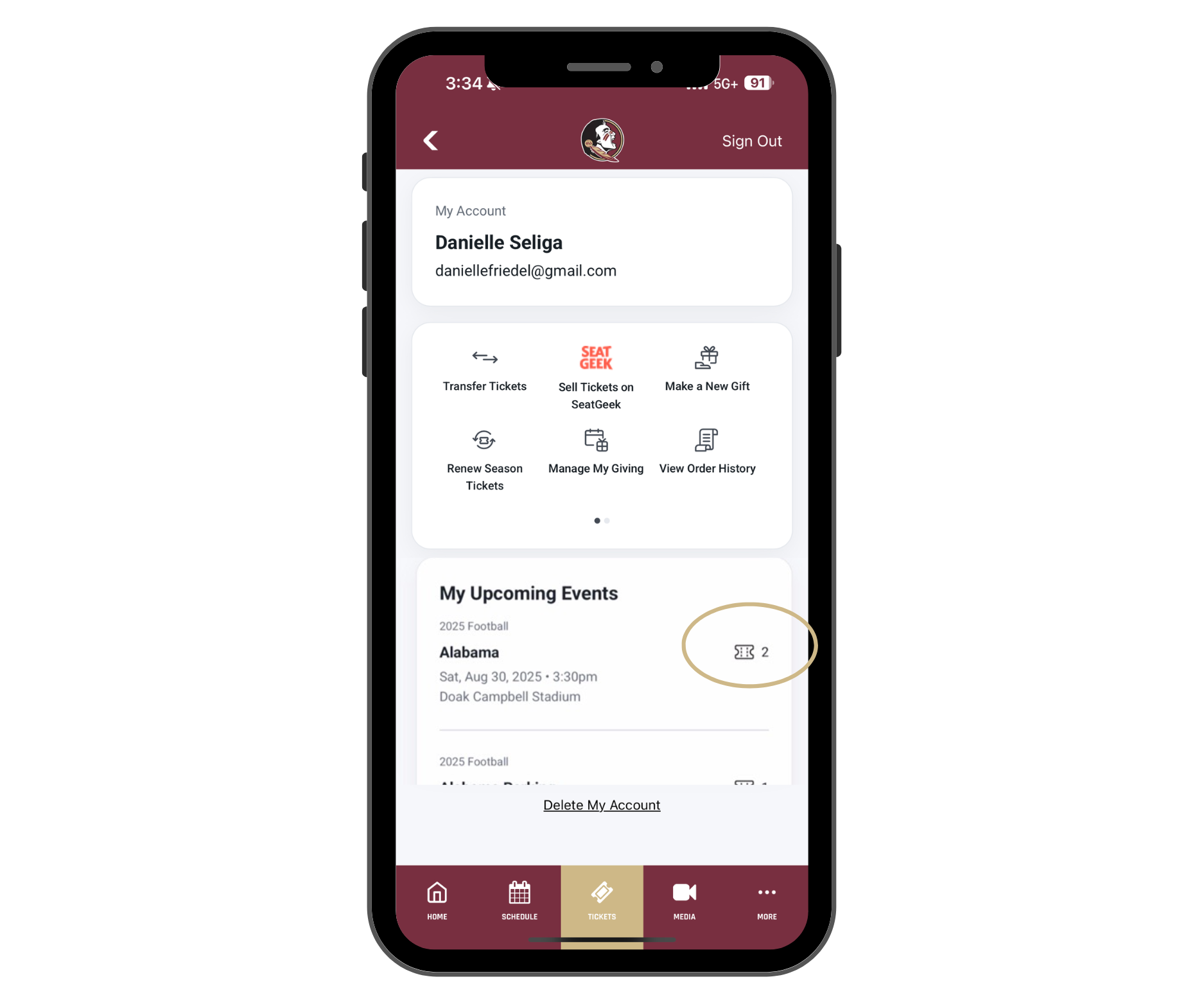

If you received your tickets as All-in-1, you will only need to download your tickets to your mobile wallet once. The All-in-1 pass automatically updates to the next event in the season. The All-in-1 pass will update if your tickets are transferred or become unavailable. You can still transfer and list tickets on SeatGeek with the All-in-1 pass through your Seminoles.com account.


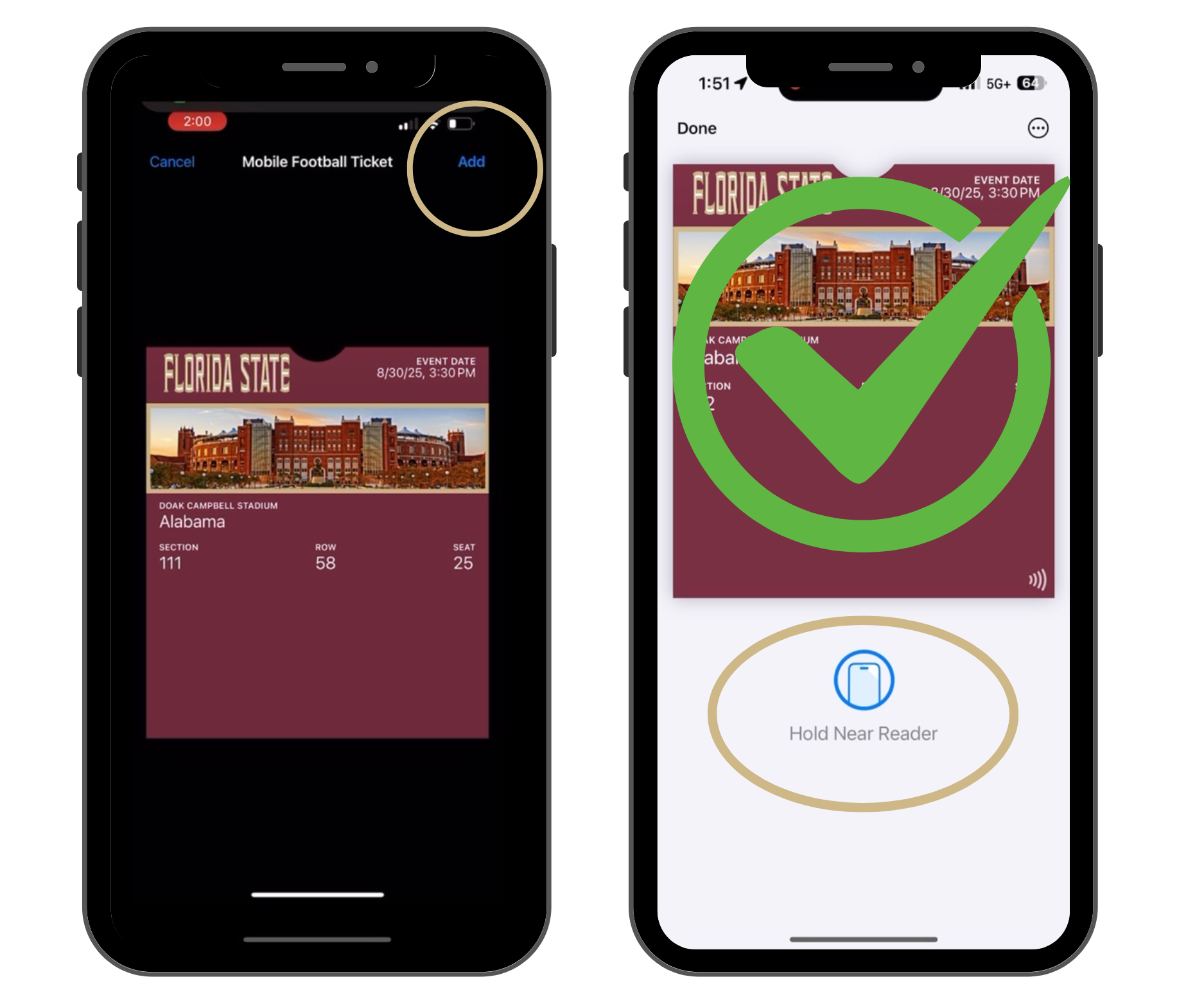
Once your tickets are successfully stored in your mobile wallet, you will pull the tickets up on game day and hold them near the ticket reader. Do NOT screenshot the tickets as screenshots will NOT grant entry on game day.

If you need any additional assistance downloading your mobile tickets, please contact the FSU Athletics Ticket Office using the contact information below:

Thank you for your support of Florida State Athletics. We look forward to seeing you soon.
Go Noles!
